![Humanitru-logo-green-horiz-lo-rez-web-main-RGB-3.png]](https://kbhelp.humanitru.com/hs-fs/hubfs/Humanitru-logo-green-horiz-lo-rez-web-main-RGB-3.png?height=40&name=Humanitru-logo-green-horiz-lo-rez-web-main-RGB-3.png)
Tribute gifts from Pinecone:
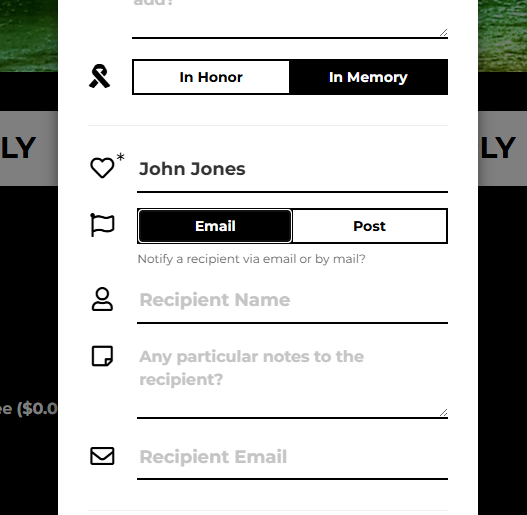
Donors can select to make a gift in honor of or in memory of and then have a free text box to indicate who/what they are honoring with this donation. They also have the functionality to identify how to send a notification (email or post) and who to send a notification to (may or may not be the person who is honored) as well as the contact information to send the notification.
Campaigns assigned in this process (with Category of Donation Actions)
- Donation Actions: In Memory Of
- Donation Actions: In Honor Of
- Donation Actions: Tribute Method: Post
- Donation Actions: Tribute Method: Email
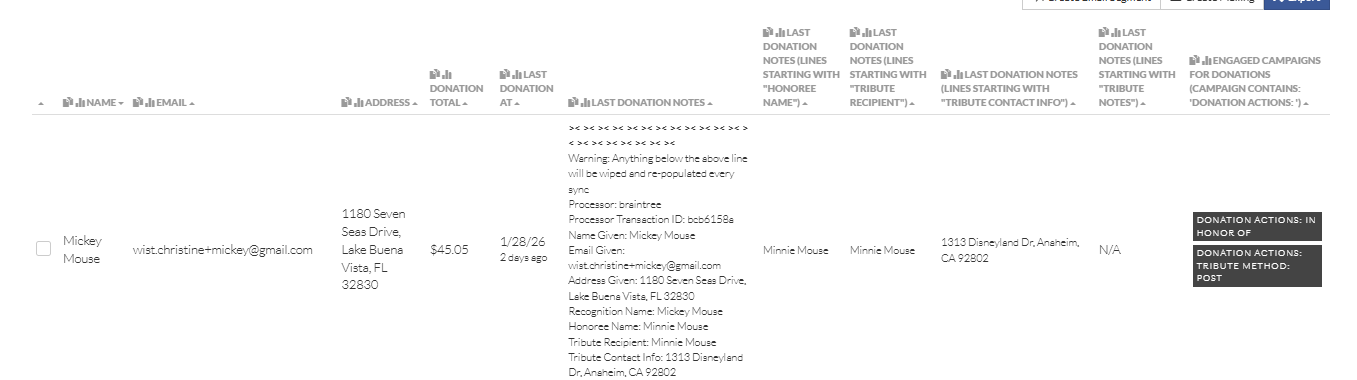
All of the details regarding the Tribute (included the honoree, notification recipient, etc.) will be included in the Action Notes. The following key value pairs will help users split this information into relevant columns:
- Honoree Name
- Tribute Recipient
- Tribute Contact Info
- Tribute Notes
Since Tribute gifts may be entered via manual entry, blueprint entry, batch actions and bulk upload (as well as via other integrations), data consistency would be best served by using the naming conventions listed above for all Tribute options and adding to them in cases where additional coding enables more functionality.
For bulk Tribute communication:
One such situation would be for organizations with significant donation revenue from tributes (this is generally the case for organizations serving vulnerable populations such as hospices, addiction recovery centers, etc.). For these organizations, there is a need to provide reporting and communication to individuals/families that show a total of everything donated as well as a list of those who donated (standard practice does not include anyone who asks to be anonymous or the individual gift amounts).
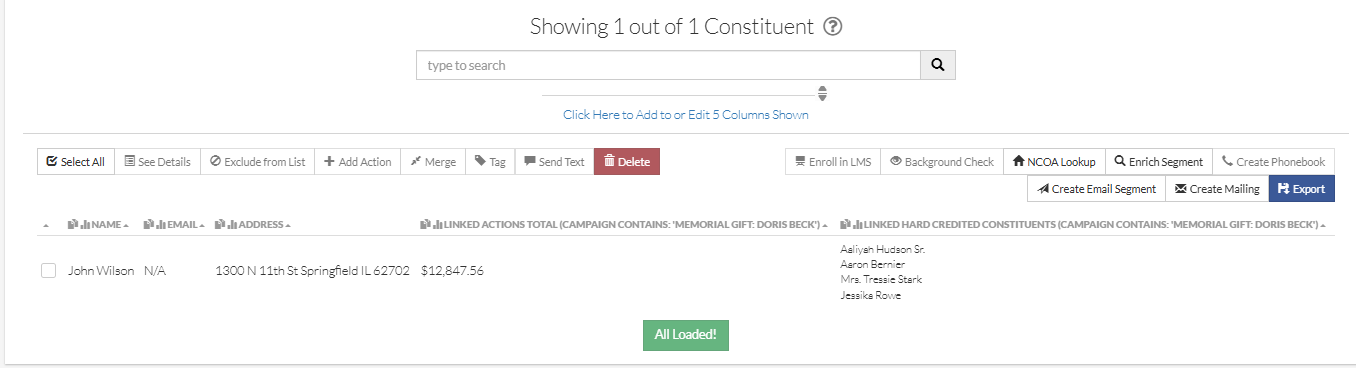
In order to accomplish the reporting needs for these organizations and easily access this information, one solution is to add a separate Campaign for the specific honoree (ex: Campaign Category = Memorial Gift, Campaign = [Name of the Honoree]) in addition to the ones above that are connected to Pinecone to connect the gifts.
- By using both Campaigns (the Category of “Donation Actions” and a separate one to track the specific honoree), we can easily include these transactions in reports showing all tribute gifts or isolate these specific Tribute gifts when needed.
- Users typing honoree information in a free text box will often refer to the same individual with name variations (making it hard to use a freeform field to reliably pull groups of Tributes as needed).
- This recommendation isn’t necessary for all Tributes, but rather for ones where reporting a list of donors is necessary.
- This Campaign should be added to each donation honoring the honoree and it should also be added to an Action added to anyone who should be notified of these gifts on a Letter Action (or possibly an Email or however the organization would like to send the notification).
- Adding a donation link to those who should be notified means that we can very easily create a report showing Tribute letters to be sent, a total of what was given and the list of all donors.