![Humanitru-logo-green-horiz-lo-rez-web-main-RGB-3.png]](https://kbhelp.humanitru.com/hs-fs/hubfs/Humanitru-logo-green-horiz-lo-rez-web-main-RGB-3.png?height=40&name=Humanitru-logo-green-horiz-lo-rez-web-main-RGB-3.png)
To make a Pinecone page inactive, follow these steps.
- Go to https://pinecone.humanitru.com.
- Use the dropdown at the top of the screen to find the client's Pinecone pages.
- Locate the specific Pinecone page(s) that need to be set to "Inactive".
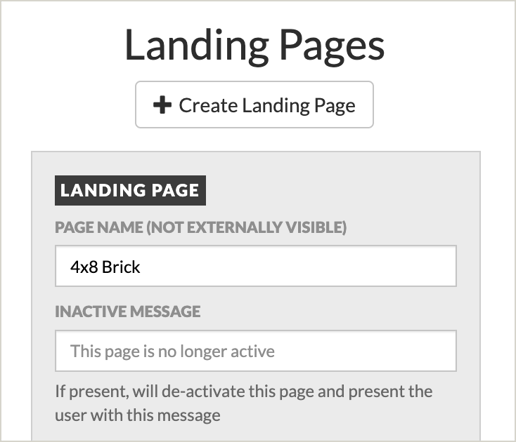
- Fill in the INACTIVE MESSAGE field with "This page is no longer active." This will disable the donation landing pages from accepting donations and present the end-user with this message.
- Click Save.